 |
|
|
|
|
|||||||||||||
 |
|||||||||||||||||
|
|||||||||||||||||
 |
|||||||||||||||||











|
|
 |
|
|
|
|
 |
|||
|
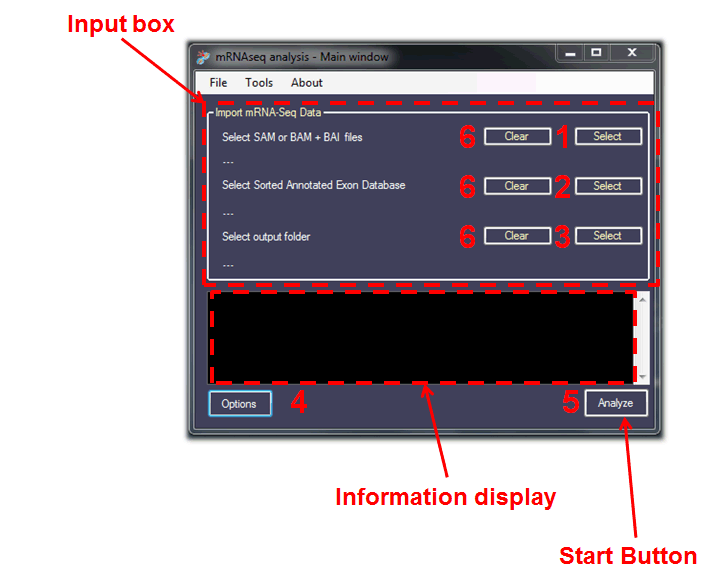
The typical Input flow is as follows: Optional: |
|||
|
|
||
 |
 |
|
|
|
[Home] [How It Works] [Use it!] [Input] [Options] [Output] [Test It!] [Quick Reference] [Support] [Downloads] [Author] [License] |